Assigning Approval After Publication Role
Approve after Publication is an opt-in role that allows a user to complete an Accept action after a document has already been published. This role ensures that organizations meet regulatory requirements associated with approving content items when the original approver leaves their role or the organization, and a new approver must then complete the approval action.
After the new approver is assigned the Approve after Publication role, the Global Administrator can obtain and export a list of documents assigned to the original approver using the Content Details report. This list can then be sent to the new approver for documents they need to approve.
Assign Approval after Publication role
Important: Only Global Administrators can assign this role to the new approver.
-
From the navigation pane, click User Setup > User Manager, and then select a department.
-
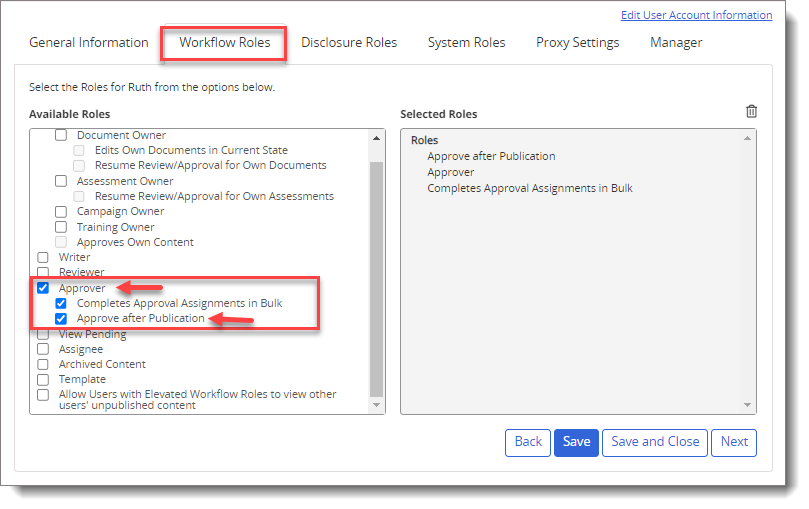
Select a user from the list, and then click the Workflow Roles tab.
-
In the Available Roles box, select the Approver and Approve after Publication check boxes.
-
(Optional) Select the Complete Approval Assignments in Bulk check box.
Note: The Approval after Publication role does not support approving documents in bulk.
-
-
Click Save and Close.
View Approver list using Content Details Report
-
From the navigation pane, click Reports, and then expand Content Reports.
-
Click Content Details.
-
In the Content page, do the following:
-
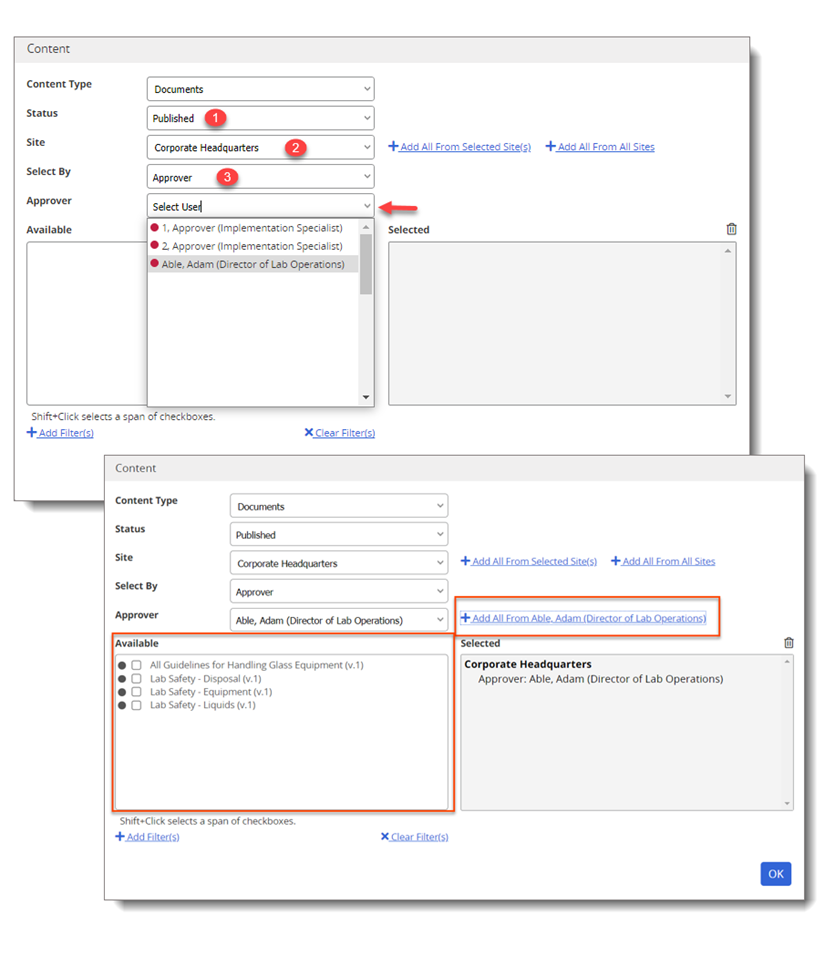
For Status, select Published to view the Published content.
-
For Site, select the appropriate site name.
-
For Selected By, select Approver to view the existing approver list.
-
In the Approver field list, select the desired approver.
-
In the Available box, you can select from the individual items or you can select all items at once by clicking +Add All From [Approver's name].
-
-
-
Click OK, and then click View Report.
-
Click
 , and then select Export.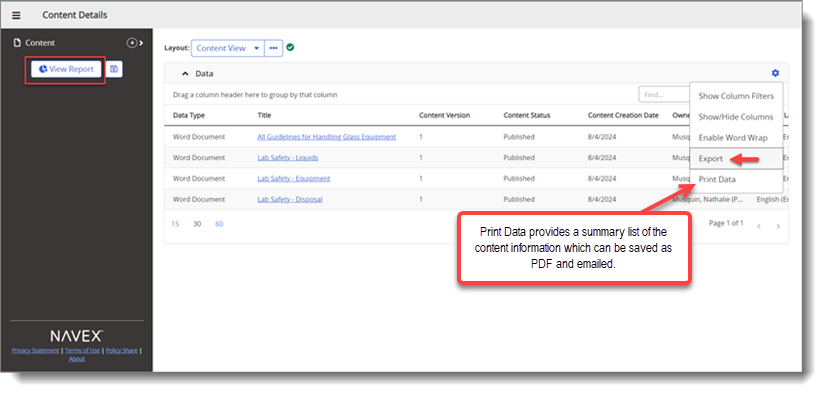
 Product Information
Copyright
Product Information
Copyright
This publication was written and produced at NAVEX Global, Inc., Lake Oswego, Oregon. This publication or any portion thereof is confidential and/or proprietary and may not be reproduced or used in any manner whatsoever without the express written permission of NAVEX Global, Inc.
Copyright © 2026 NAVEX Global, Inc. NAVEX Global® is a registered trademark/service mark of NAVEX Global, Inc. The NAVEX Global® logo is a trademark/service mark of NAVEX Global, Inc. Unauthorized use of NAVEX Global, Inc.’s trademarks/service marks is strictly prohibited without prior written permission from NAVEX Global, Inc.